
Phone, backups and Postgres
Running Runway on a server is in Install with Docker. This page covers the rest of a deployment.
On your phone
Section titled “On your phone”Open Runway in Safari on your iPhone, tap Share → Add to Home Screen, and open it from the new icon: it runs full screen like an app. For notifications (iOS 16.4 or later), go to Settings → Notifications inside the installed app and tap Turn on notifications; on a computer, the same button works in Chrome, Edge, Firefox or Safari. Both need Runway served over https://.
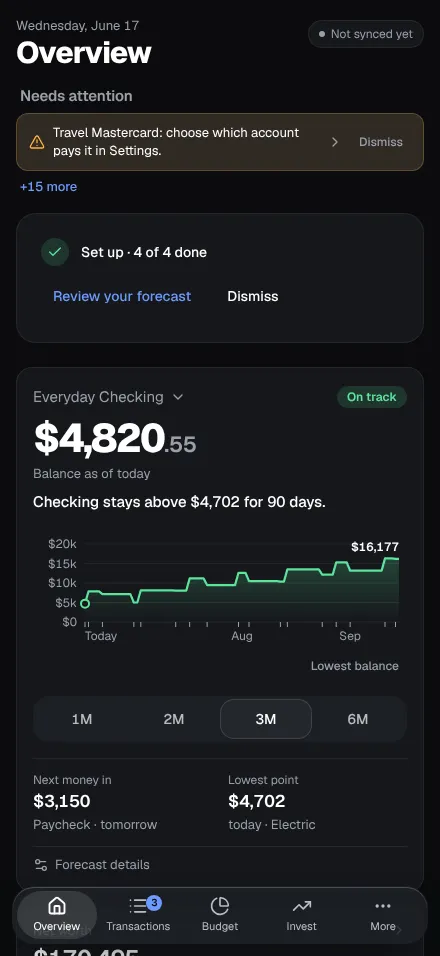
Notifications are sent with Web Push, signed and end-to-end encrypted, straight to your browser’s push service (Apple’s, Google’s or Mozilla’s). No third-party notification service is involved.
App lock (Face ID / Touch ID)
Section titled “App lock (Face ID / Touch ID)”With sign-in on, each device can ask for Face ID, Touch ID or its passcode before Runway shows anything: Settings → Data → App lock → Turn on app lock, inside the installed app on an iPhone, or in a browser on a computer with Touch ID or Windows Hello. It locks when you open Runway and when you come back after the time you choose in the background (immediately, or after 1, 5 or 15 minutes), and asks again 12 hours after an unlock. The page is covered while Runway is in the background, so the app switcher shows nothing.
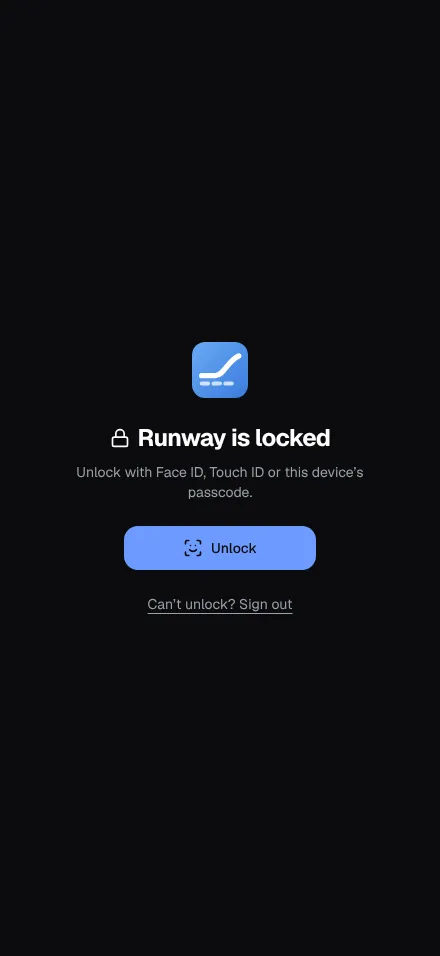
It’s a lock on top of your sign-in, not instead of it, like a banking app’s: a passkey on the device, checked by your Runway on every unlock, which refuses that sign-in’s data while locked. It protects against someone picking up your unlocked phone or computer; not against a stolen session cookie used elsewhere, or a script running in Runway’s own pages. It’s this device’s only, and ends with the sign-in: signing out turns it off (the way out if Face ID stops working: Can’t unlock? Sign out on the lock screen). It needs https://, Runway opened at its RUNWAY_PUBLIC_URL, and a current browser (Safari 16 / iOS 16, Chrome or Edge 85, Firefox 119 or later). A reverse proxy should pass the X-Runway-Hidden header on, as it does X-Runway.
Where the passkey supports it (current Chrome and Edge, Safari from iOS 18 and macOS 15 with iCloud Keychain), the device also keeps an encrypted copy of the Transactions and Recurring lists, so they show right after the unlock when you open Runway again. Never balances, due dates or anything worked out from today. It’s encrypted with a key made at each unlock from a secret only the passkey gives and a share your Runway holds for this device, kept in memory only while unlocked, and deleted when you sign out, the session ends, the lock is turned off, or after 72 hours without a fresh share. The details are in Architecture.
Backups and restore
Section titled “Backups and restore”A backup is one gzip’d JSON file holding every table. It works across databases, so it’s also how you move Runway between machines or from SQLite to Postgres.
poetry run python run.py backup # writes runway-backup-YYYY-MM-DD.json.gzpoetry run python run.py restore <file> [--yes] # replaces everything with the backup (stop Runway first)The same is under Settings → Data, which also shows when a backup was last downloaded. Backups include your bank access and API keys, encrypted with RUNWAY_SECRET_KEY (restoring elsewhere needs the same key, or you enter them again). Sign-in sessions, devices’ app locks and assistants’ connections aren’t included: reconnect those after a restore.
- In Settings, choosing a file shows what it holds (when it was made, from which database, how many accounts, transactions, recurring items and budgets), and Restore says how many transactions it replaces and asks you to type
RESTORE. Before replacing anything, Runway saves what was there asrunway-before-restore-<date-time>.json.gzin the data directory (./data, or/datain Docker); restore that file the same way to go back, and delete it once you no longer need it. - From the command line, stop Runway first (
docker compose stop runway, thendocker compose run --rm runway python run.py restore /data/<file>), so a sync can’t mix its rows in. - From an older version: a backup records the database version it was made with, and restoring one from an older version brings its data up to date the way updating Runway would have. A backup from a newer version than the one you’re running is refused: update first.
Postgres
Section titled “Postgres”Set DATABASE_URL (postgresql://user:password@host:5432/db; the driver is already installed). Runway creates its tables on first start; restore a backup to bring your data along. Without DATABASE_URL, Runway uses SQLite in its data directory.
Migrations
Section titled “Migrations”Runway keeps its schema up to date by itself: on every start it applies any new migrations, on SQLite and Postgres alike. A migration that has to remove data saves a backup of the whole database in the data directory first (runway-before-migration-<number>-<date-time>.json.gz) and logs how many rows it removed from each table. That copy holds your bank access too (encrypted), so delete it once you’re happy with the result.